

Plugin types
- Desktop plugin management
- Official plugins page
- Plugin marketplace (dsh-market)
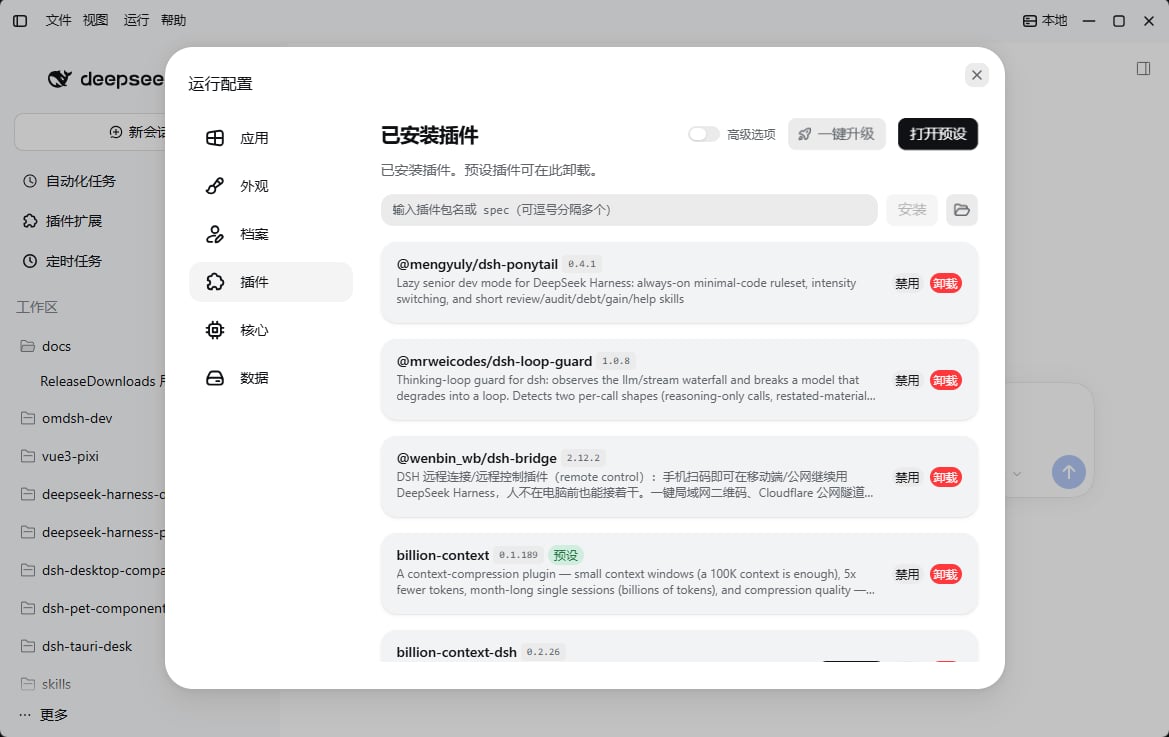
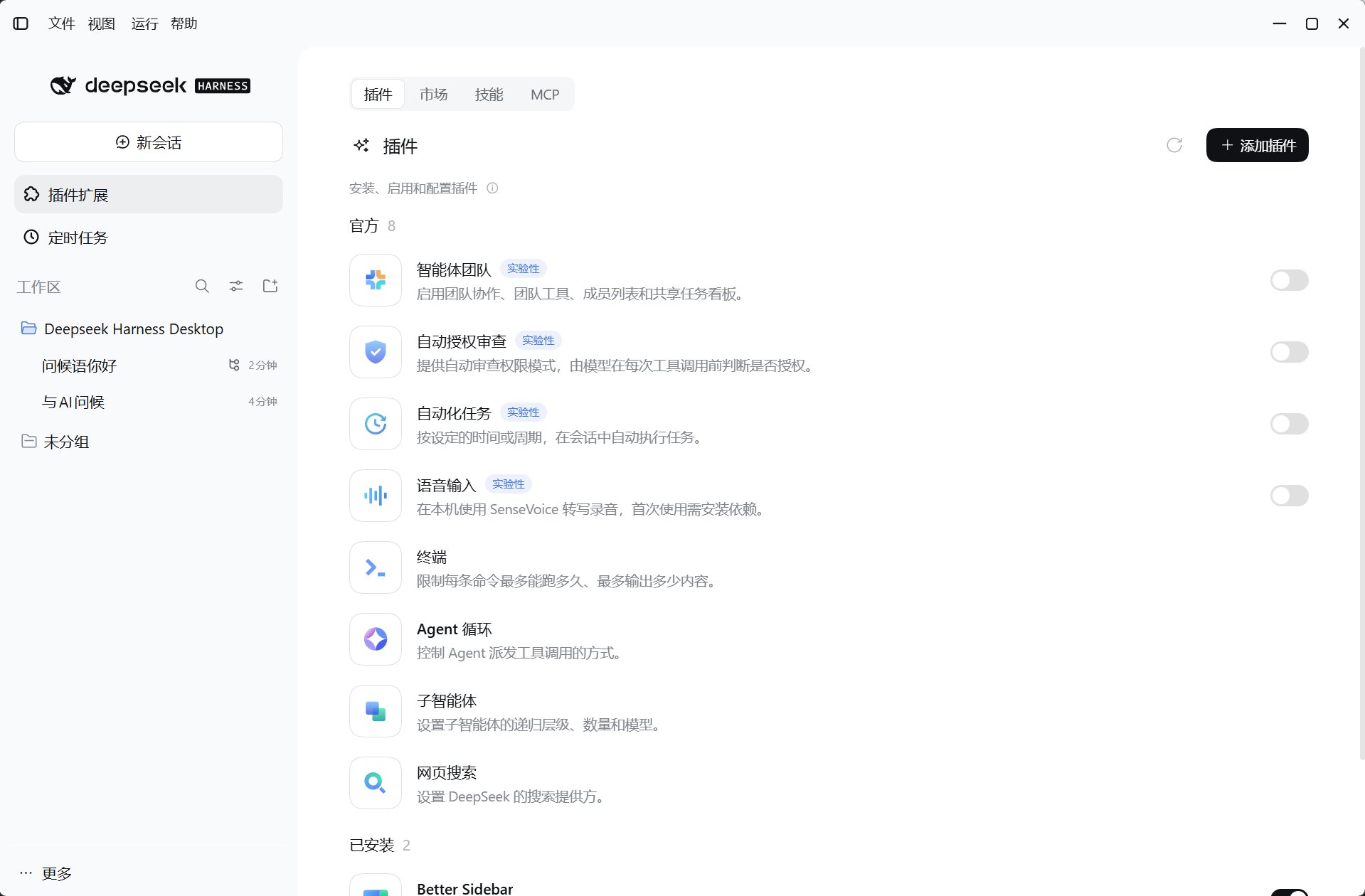
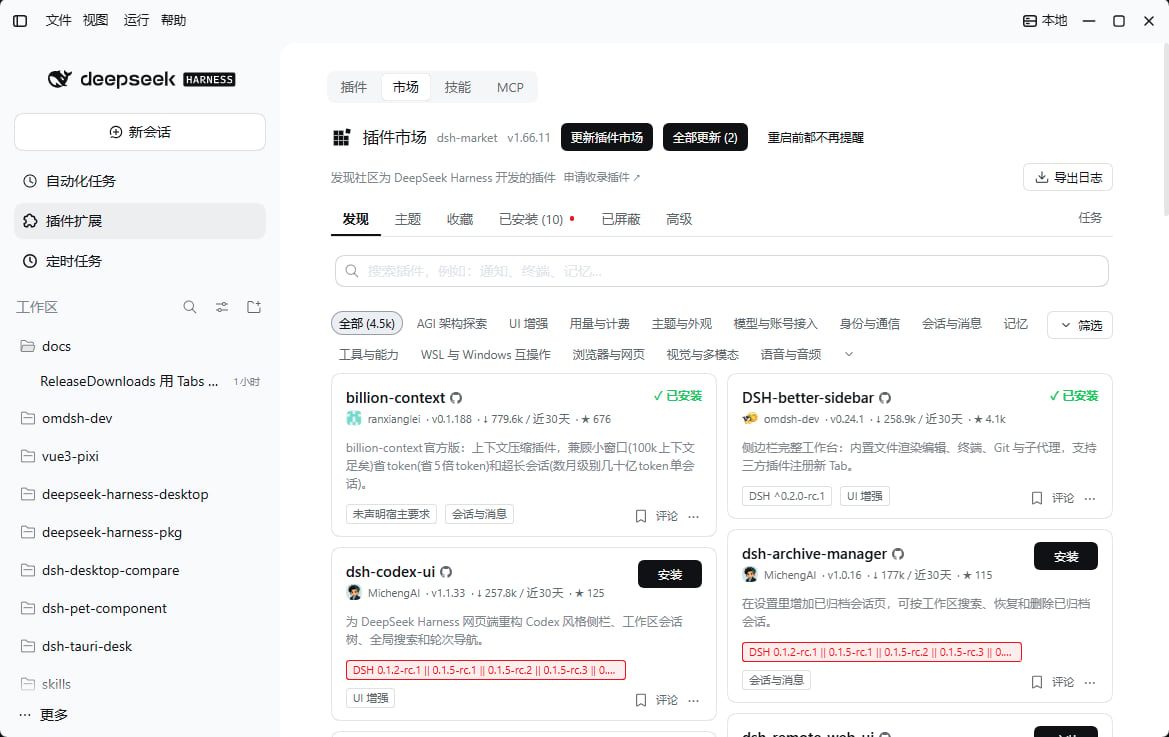
- Desktop shell plugin management is separate from the official plugins page; even if the app crashes, you can still handle plugin errors and uninstall or disable plugins.
- The plugin marketplace appears only after you install the
dsh-marketpreset. If you did not select it during setup, you can open the preset from the desktop plugin management dialog.
Optional presets
Presets do not count as built-ins or suit every task. Check maintenance, network dependencies, and data handling before installing. Presets such as DSH Market use the dedicated installation flow in the first-run guide or plugin management—not a chat request to the agent.
Local plugins and hot reload
Besides npm and GitHub installs, the plugin panel can mount a local plugin source directory directly—useful for plugins you develop or are still editing.- In Configuration → Plugins, click the folder button next to the install field and choose a plugin directory that contains
package.json. - The panel fills in a
link:absolute-path spec, shows a read-only precheck result, and writes it into the active profile when you click Install. - After a successful install, restart Harness when prompted so the local plugin loads with the profile.
link: or file: prefix, a drive-letter absolute path, a UNC path, and ./ or ../ relative paths are all treated as local directories; relative paths resolve against the managed dsh installation directory. Separate multiple specs with commas or whitespace to install them in one operation.
A local install writes a
link: declaration into the profile; the plugin source stays where it is. Moving or deleting that directory makes the plugin fail to load on the next start.cordis.hmr.patch.yml in application data, and injects it with --patch into the core’s HMR plugin; when the source changes, the core disposes and re-imports that plugin without restarting the service.
- Only plugins installed from a local path are watched; npm and GitHub installs are not.
- Toggling the switch takes effect after the service restarts, when the watch list is recalculated.
- With no mounted local plugin directory the panel says so, and no patch layer is written.
node_modules, hidden directories, andcacheordatadirectories are not watched.
Install, update, and recover
- Open desktop Configuration → Plugins and check the active profile, sources, versions, and errors.
- Install trusted plugins, or upgrade and remove optional plugins as needed.
- Restart Harness when prompted and confirm plugins load.
- If an operation is interrupted, use the recovery entry point shown in the panel; the desktop repairs missing built-ins.
0.2.0-rc.2 is recommended; 0.1.5-rc.1 is the minimum accepted version. Compatibility rules still restrict available core and plugin versions. Preserve logs after startup failures, then use an explicit recovery action; see Troubleshooting.
Developers can read Plugin system architecture.