

- Sign-in option in the lower left
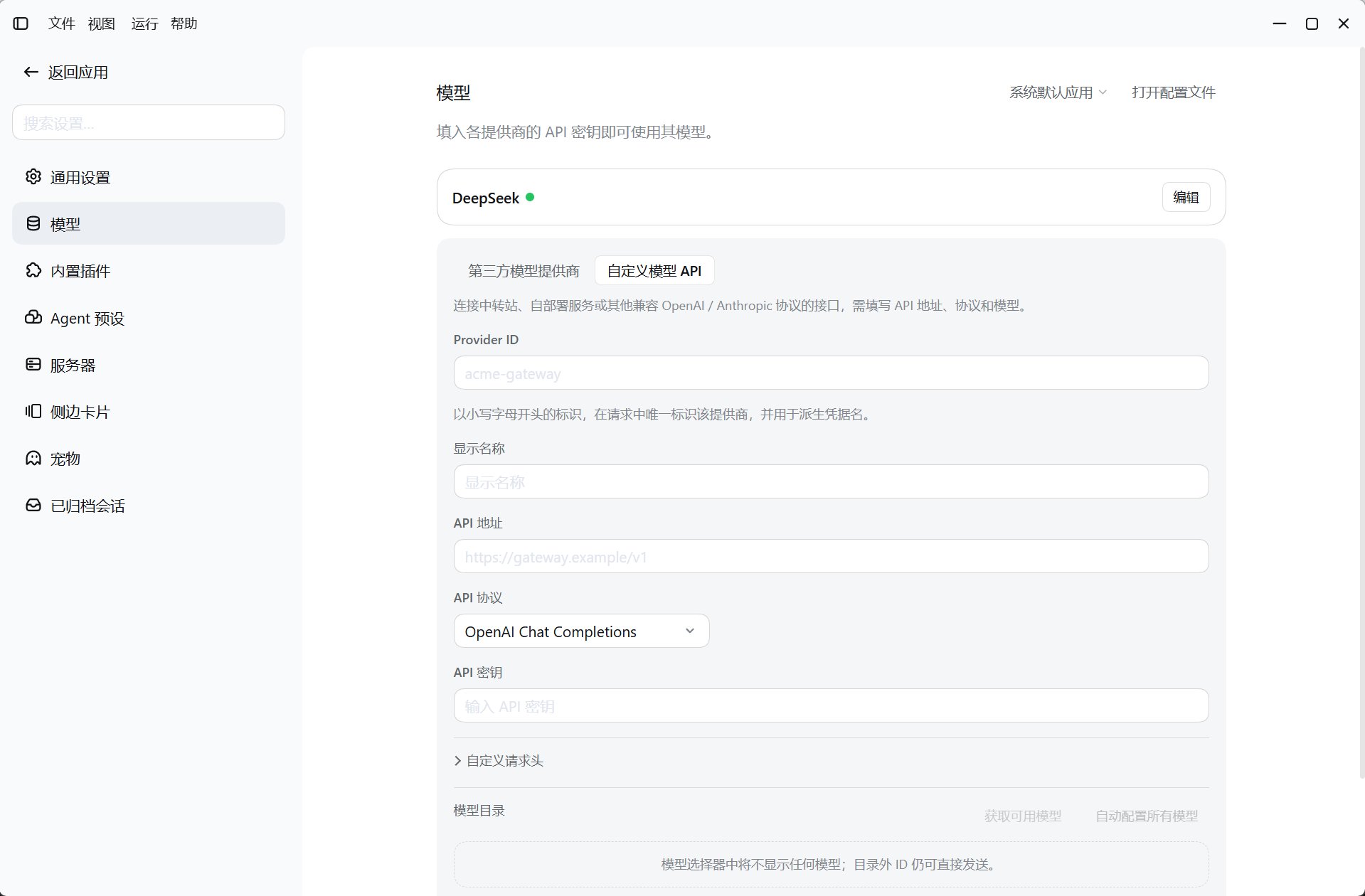
- Configure a model in Settings
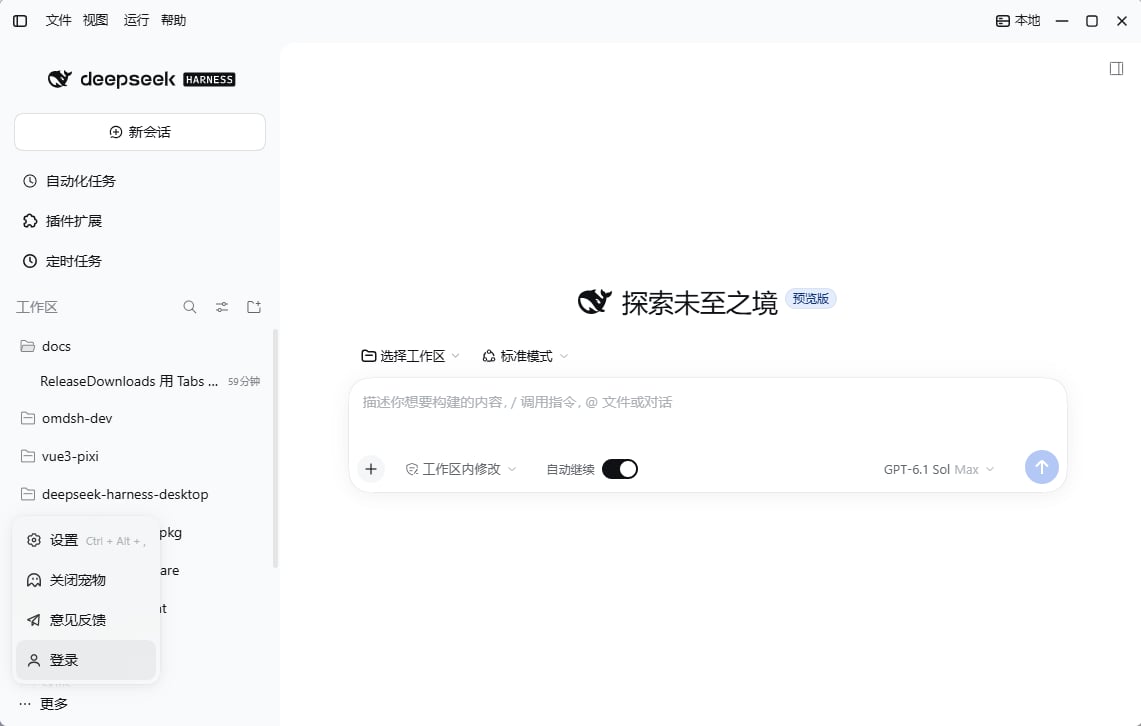
Sign in to your official DeepSeek account
Signing in from the lower-left menu completes DeepSeek authorization in your browser and uses thedeepseek-account model route. It is separate from the deepseek-official route that takes a manually entered Platform API key; you do not need to paste an API key into model settings for account sign-in.
1
Open a sign-in entry point
Initial setup offers Sign in and Add API Key. You can also open More → Sign in at the bottom of the Harness sidebar, or go to Settings → Account and click Sign in.
2
Complete authorization in your browser
The desktop automatically opens the official DeepSeek authorization page in your system browser. Follow its prompts to sign in and authorize. If the page does not open, click Copy sign-in link in the waiting dialog and paste it into your browser. Click Sign in again after a timeout or failure, or cancel if you do not want to continue.
3
Return to Harness and verify a model
After authorization, Harness updates your sign-in status and closes the sign-in dialog. In the session composer, choose an available model under DeepSeek Account and a workspace, then send a small task such as summarizing the repository.
- Sign-in credentials are kept in the local Harness credential store and can be read after a restart. Sign in again if Harness reports that your login is no longer valid.
- When no provider API key is configured, successful sign-in saves the first available account model as the default. An existing API key prevents this default from being overwritten. Sign-in or availability changes do not automatically replace an existing session’s model selection; check it in the composer.
- Sign out in the sidebar account menu removes local sign-in credentials without deleting project or session data. It interrupts running tasks that use this account.
Use a DeepSeek API key
1
Open model settings
Open Settings → Models in the Harness sidebar. The desktop extends this page through the built-in Model configuration plugin. Add API Key in the sign-in setup also opens key configuration.
2
Save credentials
Edit the official DeepSeek API provider (
deepseek-official), enter an API key from the DeepSeek Platform, and save it.3
Select a model and test
Return to the session composer, choose an available model under that provider and a workspace, and send a test task. If it fails, check credentials, endpoint, and model name first, then review the provider’s error and account allowance information.
Other providers and custom endpoints
In Settings → Models, click Add model provider and choose how to add it:
Configure context length, output limits, image input, and thinking modes only when the endpoint supports them. See Model configuration for local or company gateway compatibility options.
For upstream provider semantics, see the model configuration guide. Next, explore the desktop and Harness interface.