

dsh-tauri-worktree creates an isolated Git worktree for a session. Make changes there, then choose whether to check the work back to a local branch or discard it.
- Select a worktree
- Work in the worktree session
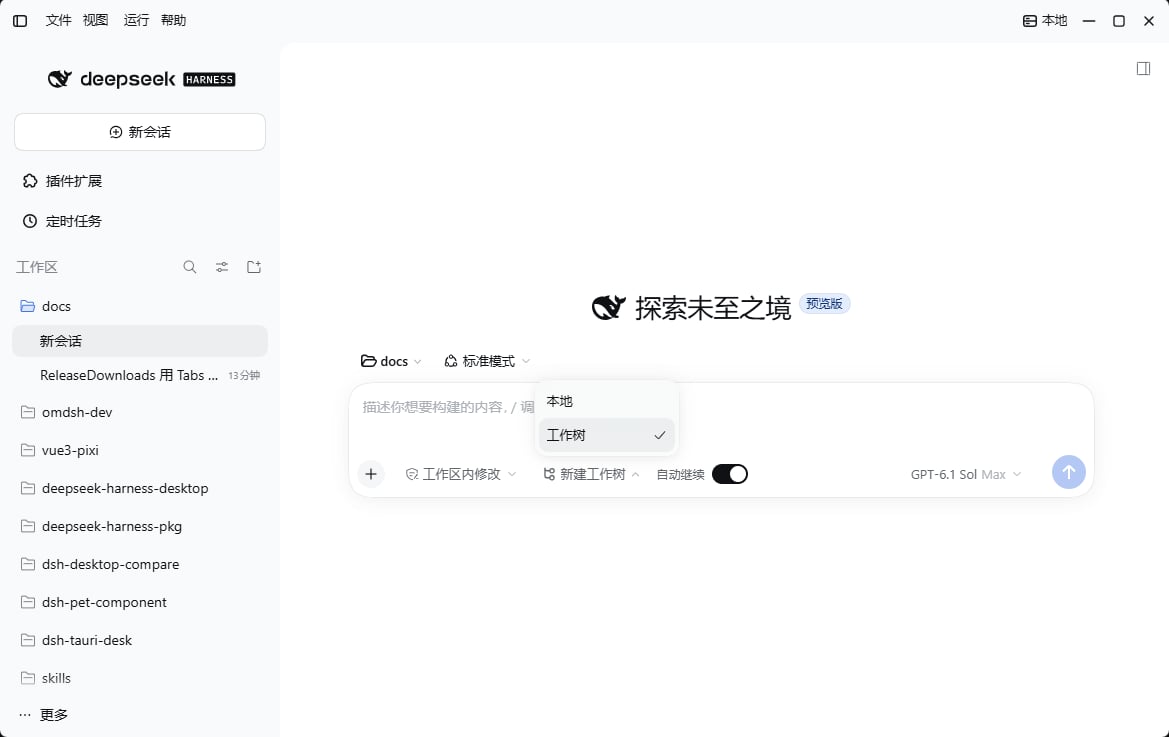
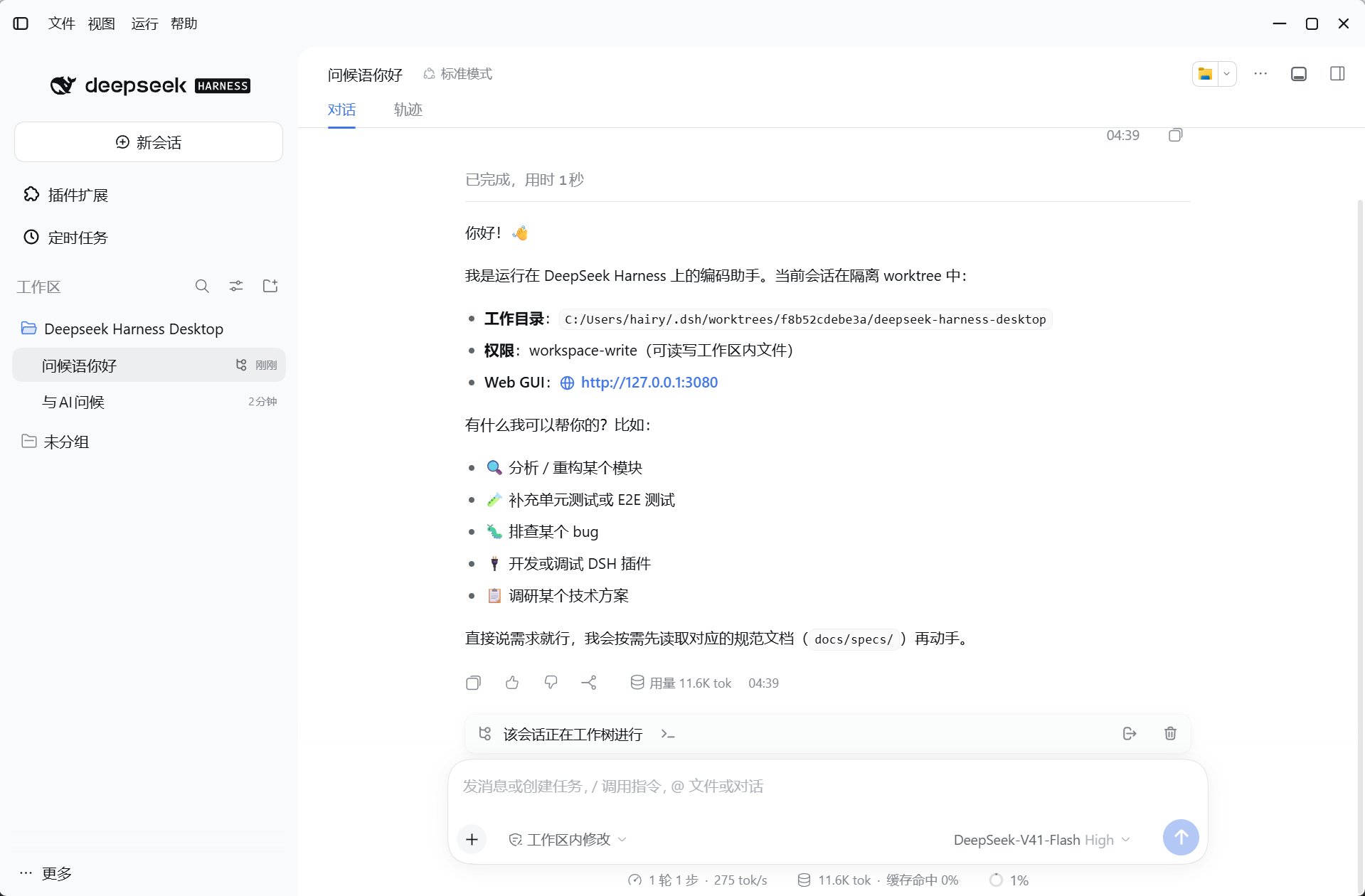
Start isolated work
- The current session is in a local Git repository, and the host can run
git. - A local
mainbranch must exist. New worktrees start fromrefs/heads/main, not the current branch. - The composer shows the mode picker only for a confirmed Git repository outside a worktree.
1
Explicitly choose Worktree
Select Worktree in the composer and send your request, or explicitly ask the Agent to use a worktree.
create_worktree is for local sessions only; do not call it from an existing worktree session.2
Create the worktree and session
The default directory is
~/.dsh/worktrees/[hash]/[dirname]; with DSH_HOME set, its worktrees subdirectory is used. The tool hands off context after the current turn. Composer-based switching transfers the draft and attachments.3
Change, verify, and commit
Continue in the new directory. The composer status bar provides creation progress, logs, checkout, and discard actions.
Check out or discard
Before checkout:
- The local main workspace must have no uncommitted changes and must not be in detached HEAD.
- The isolated worktree must have no unstaged or untracked changes; commit anything you need to retain.
- If staged changes remain in the worktree, enable
carry_stagedor commit them first. Otherwise checkout is rejected. - An existing target branch must not be occupied by another worktree or contain commits absent from the isolated worktree. Matching branches can be reused; lagging branches can fast-forward.
Staged changes and tool parameters
carry_staged defaults to false and handles only changes in the Git index. Committed work does not depend on this switch.
The transfer uses Git binary diff/apply, not the repository’s shared stash. UI checkout has no
carry_staged option: commit staged changes first, or explicitly authorize the Agent to use the tool with that parameter.