

dsh-tauri-rightclick provides context menus inside the desktop’s embedded Harness UI, using Harness session and workspace services and menu components. It is not an operating-system-wide context menu.
- Sessions
- Workspaces
- Inputs
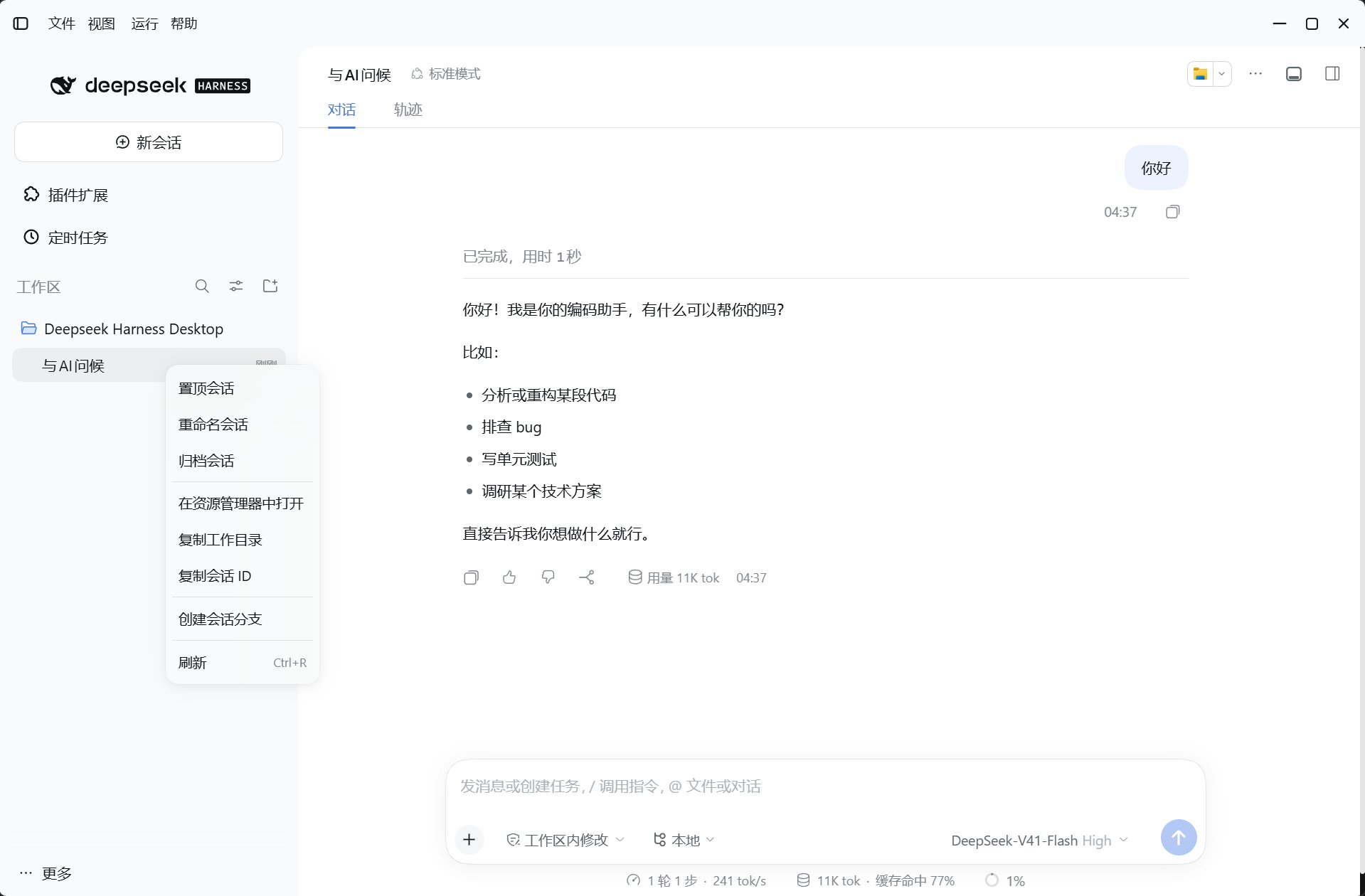
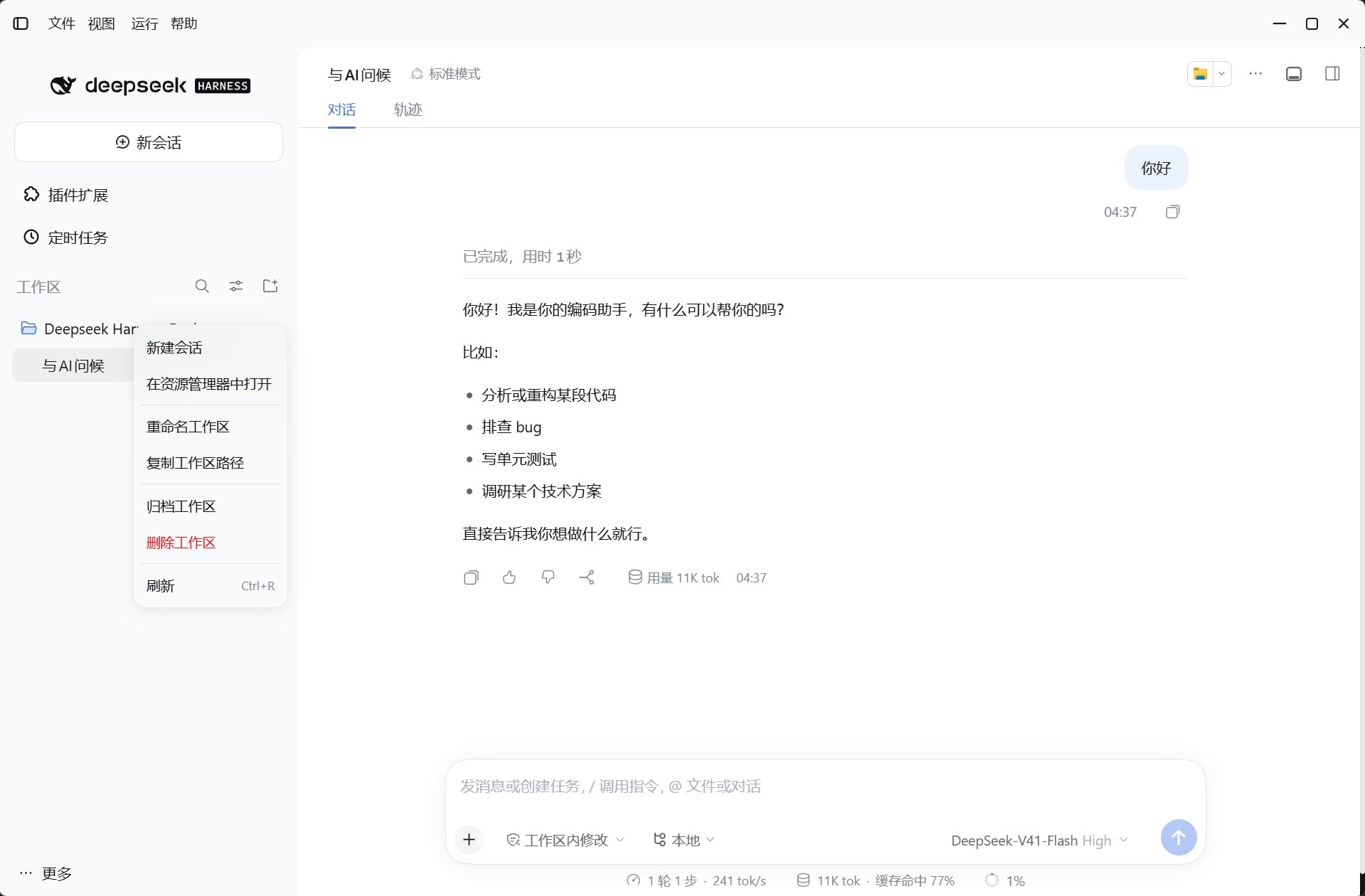
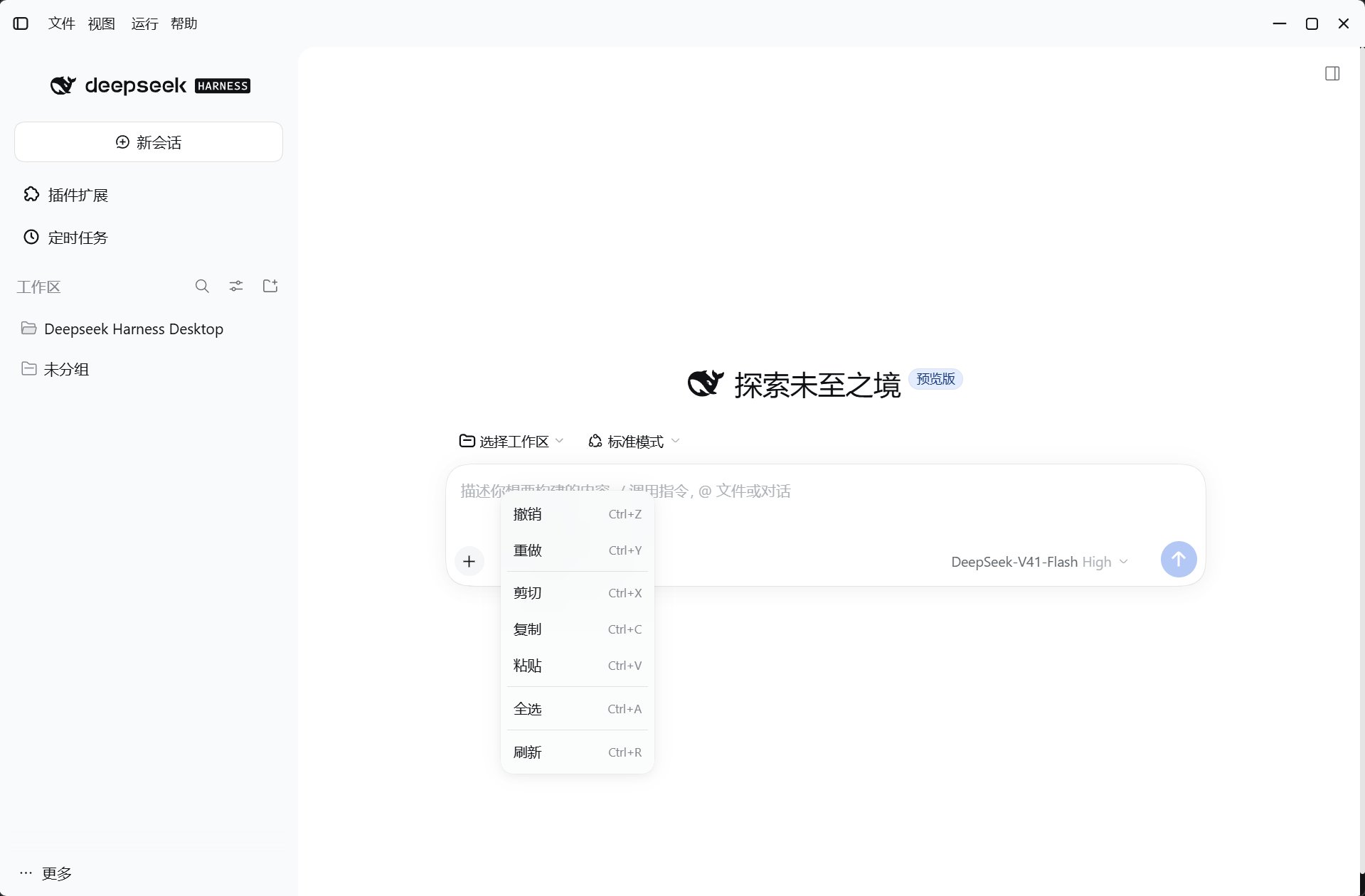
Where to right-click
Blank new sessions do not get a session menu. Unsupported targets keep the default menu. Session actions prefer the official row menu or public services. Without
pinSession / unpinSession, the plugin omits pinning rather than simulating pinned state.
Archiving is not permanent deletion
Bulk archiving and workspace deletion show a confirmation first. Renaming a workspace changes its display label, not the directory on disk.
Host access and compatibility boundaries
- Opening a directory uses
/api/desktop/dsh-tauri-rightclick/open/pathand the system file manager on the machine running the Harness host. - Opening an external link uses
/api/desktop/dsh-tauri-rightclick/open/urland that machine’s default browser. Onlyhttp/httpsURLs are accepted, not arbitrary URL schemes. - Loading the Web UI in another wrapper or an ordinary browser does not imply support for every action. Host routes, session services, and clipboard capabilities are still required.
- Disabling the plugin cleans up listeners and overlays. It does not edit upstream packages, the desktop shell, or other plugins’ files.