> ## Documentation Index
> Fetch the complete documentation index at: https://dshtauri.mintlify.site/llms.txt
> Use this file to discover all available pages before exploring further.
# DSH Tauri Extension
> 管理 Skills、技能来源与 MCP 服务器。
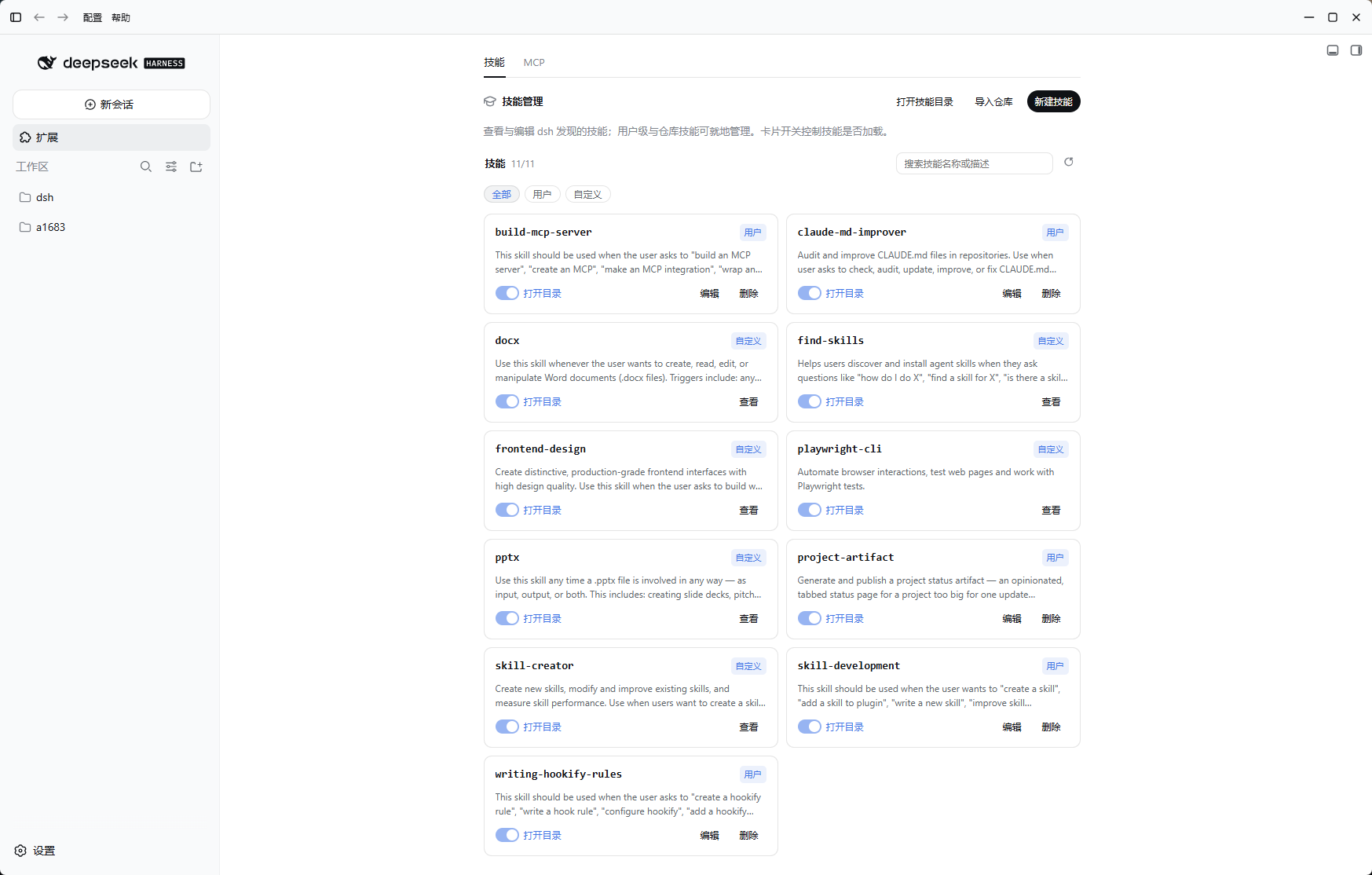
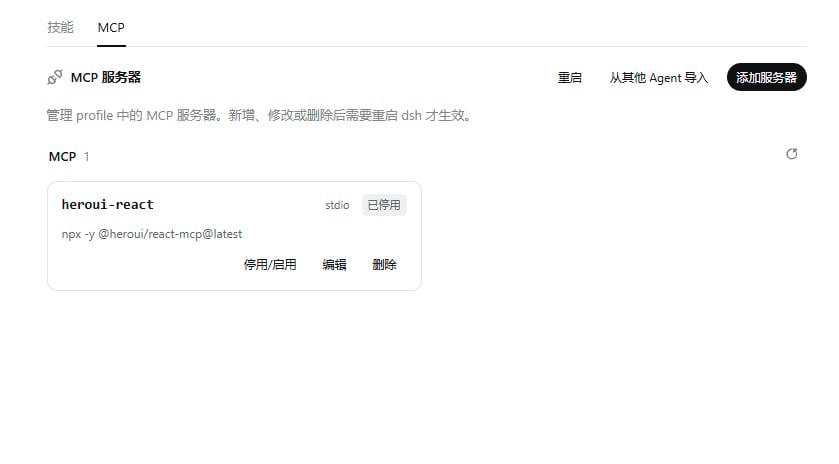
在侧栏打开**扩展**。`dsh-tauri-extension` 提供 Skills 与 MCP 两个标签页。
 ## Skills
* 搜索、筛选、启停技能,查看内容或打开目录。
* 导入 GitHub 技能仓库或添加本地技能目录。
* 编辑可写来源中的技能;删除前检查目标目录。
* **新建技能**打开空白会话并预填 `/skill-creator `,不会自动发送。
## MCP
* 用表单或 JSON 新增、编辑、启停与删除服务器。
* 从 Claude Code 或 Codex 配置导入,检查连接状态。
* 配置变更后按提示重启宿主。
## 数据与边界
* 自定义技能及来源记录位于 `$DSH_HOME/skills/`;MCP 配置写入当前 Profile。
* 宿主路由前缀为 `/api/desktop/dsh-tauri-extension`。
* 插件不含市场;社区插件见[插件管理](../guides/plugins)。
* Skills 与 MCP 可触发本地代码执行,导入前确认来源与权限。
[源码与第三方声明](https://github.com/dsh-tauri/deepseek-harness-desktop/tree/main/packages/dsh-tauri-extension)
## Skills
* 搜索、筛选、启停技能,查看内容或打开目录。
* 导入 GitHub 技能仓库或添加本地技能目录。
* 编辑可写来源中的技能;删除前检查目标目录。
* **新建技能**打开空白会话并预填 `/skill-creator `,不会自动发送。
## MCP
* 用表单或 JSON 新增、编辑、启停与删除服务器。
* 从 Claude Code 或 Codex 配置导入,检查连接状态。
* 配置变更后按提示重启宿主。
## 数据与边界
* 自定义技能及来源记录位于 `$DSH_HOME/skills/`;MCP 配置写入当前 Profile。
* 宿主路由前缀为 `/api/desktop/dsh-tauri-extension`。
* 插件不含市场;社区插件见[插件管理](../guides/plugins)。
* Skills 与 MCP 可触发本地代码执行,导入前确认来源与权限。
[源码与第三方声明](https://github.com/dsh-tauri/deepseek-harness-desktop/tree/main/packages/dsh-tauri-extension)