> ## Documentation Index
> Fetch the complete documentation index at: https://dshtauri.mintlify.site/llms.txt
> Use this file to discover all available pages before exploring further.
# Workspaces and sessions
> Start Harness sessions in the right workspace and keep code changes isolated.
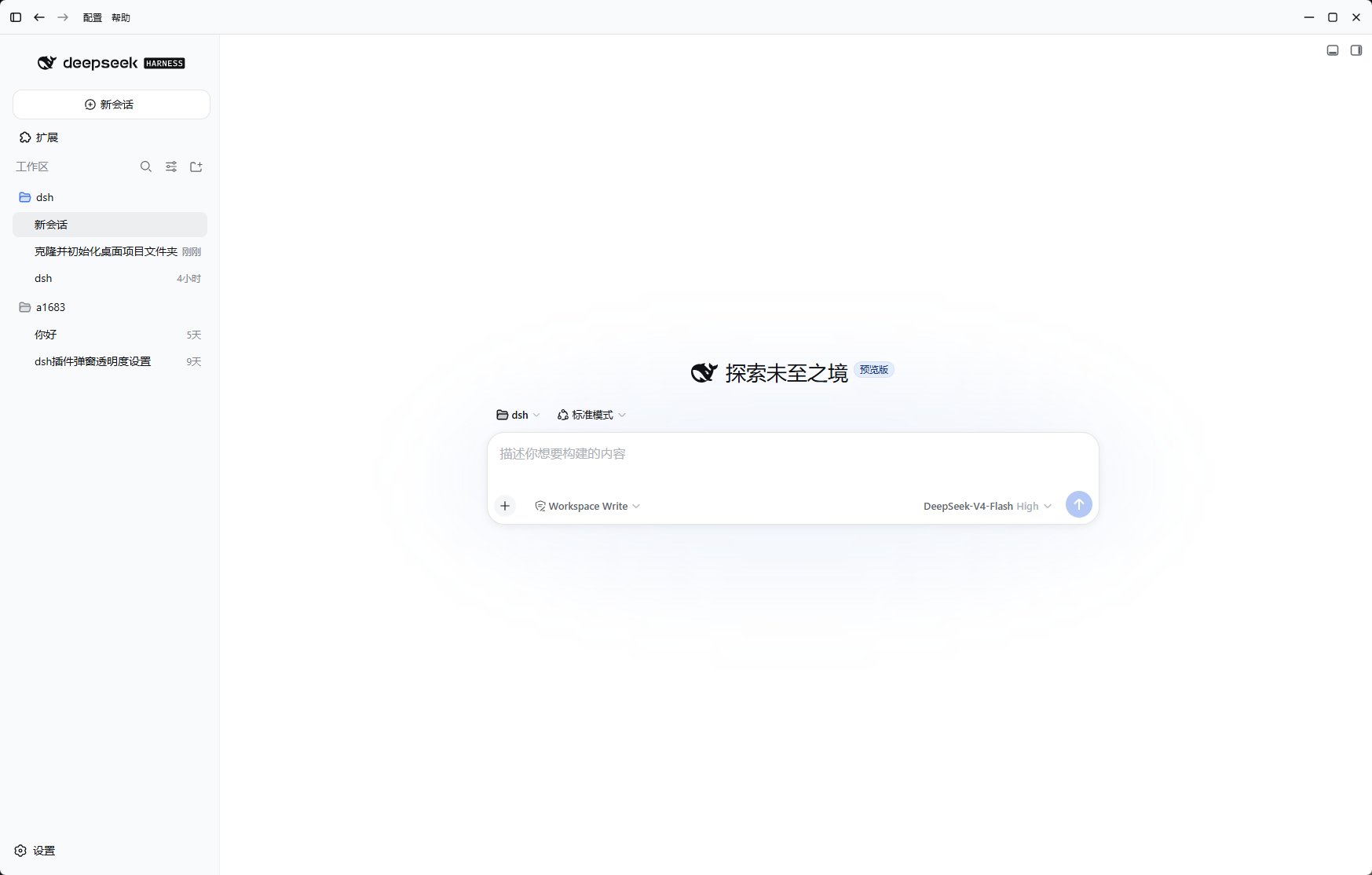
A session combines a conversation with a workspace where Harness tools can read and
change files. Select the workspace deliberately: it defines the boundary of the task.
## Start a session
Open or select the repository or folder you want the agent to work in. Check the
displayed path before authorizing file operations.
Start a new session and state the outcome, constraints, and validation you expect.
Follow commands and file changes in the session. Inspect diffs before committing or
publishing work.
 ## Isolate changes with worktrees
The bundled worktree integration can create a Git worktree per session. This keeps
concurrent tasks on separate branches and protects the repository's main checkout.
When the work is ready, check it out to a local branch; when it is disposable, archive
or abandon the isolated worktree.
Use one session for one concrete objective. Separate sessions reduce accidental
context mixing and make branches easier to review.
## Safe operating habits
* Confirm the current workspace and branch before accepting changes.
* Keep secrets outside prompts, source files, and command output.
* Review third-party plugin permissions and source.
* Commit meaningful checkpoints before broad refactors.
* Treat generated commands as code review material, not as inherently trusted output.
For runtime data boundaries, see [Data and privacy](../help/data-and-privacy).
## Isolate changes with worktrees
The bundled worktree integration can create a Git worktree per session. This keeps
concurrent tasks on separate branches and protects the repository's main checkout.
When the work is ready, check it out to a local branch; when it is disposable, archive
or abandon the isolated worktree.
Use one session for one concrete objective. Separate sessions reduce accidental
context mixing and make branches easier to review.
## Safe operating habits
* Confirm the current workspace and branch before accepting changes.
* Keep secrets outside prompts, source files, and command output.
* Review third-party plugin permissions and source.
* Commit meaningful checkpoints before broad refactors.
* Treat generated commands as code review material, not as inherently trusted output.
For runtime data boundaries, see [Data and privacy](../help/data-and-privacy).