> ## Documentation Index
> Fetch the complete documentation index at: https://dshtauri.mintlify.site/llms.txt
> Use this file to discover all available pages before exploring further.
# CLI integration
> Use the dsh command installed by DeepSeek Harness Desktop.
The released desktop app can register a lightweight `dsh` shim on your `PATH`. The shim
starts the installed JavaScript CLI with a compatible local Node.js or the managed
runtime, so it does not overwrite your shell configuration.
## Verify the command
Close terminals that were open during installation. In a new terminal, run:
```bash theme={null}
dsh --help
```
To inspect which executable your shell resolves:
```powershell theme={null}
Get-Command dsh
```
```bash theme={null}
command -v dsh
```
## Shim locations
| Platform | Directory |
| --------------- | ------------------------------------- |
| Windows | `%LOCALAPPDATA%\deepseek-harness\bin` |
| macOS and Linux | `~/.local/bin` |
The shim prefers supported system Node.js versions and falls back to the runtime under
the application data directory. pnpm follows the same principle: use a user-installed
command first, otherwise run the managed `dependencies/pnpm/bin/pnpm.cjs`.
 ## Command is not found
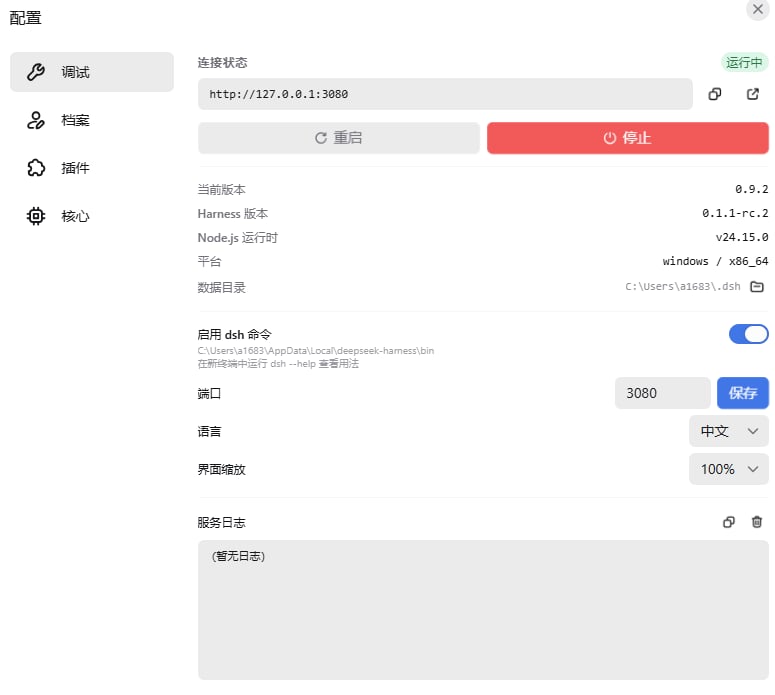
1. Confirm CLI integration is enabled in desktop settings.
2. Restart the application after changing the setting.
3. Open a new terminal, not a new tab in an old shell process.
4. Check that the shim directory appears in `PATH`.
5. Re-run setup or consult [Troubleshooting](../help/troubleshooting).
Debug builds intentionally do not register or remove `PATH` entries and do not write
a release-style shim. This prevents development runs from changing the production
desktop environment.
## Command is not found
1. Confirm CLI integration is enabled in desktop settings.
2. Restart the application after changing the setting.
3. Open a new terminal, not a new tab in an old shell process.
4. Check that the shim directory appears in `PATH`.
5. Re-run setup or consult [Troubleshooting](../help/troubleshooting).
Debug builds intentionally do not register or remove `PATH` entries and do not write
a release-style shim. This prevents development runs from changing the production
desktop environment.