> ## Documentation Index
> Fetch the complete documentation index at: https://dshtauri.mintlify.site/llms.txt
> Use this file to discover all available pages before exploring further.
# Configure a model
> Add a DeepSeek or compatible model provider before starting your first task.
Harness needs at least one model provider before it can answer in a session. The fastest
path is to add a DeepSeek API key from the embedded Harness settings.
 ## Add DeepSeek
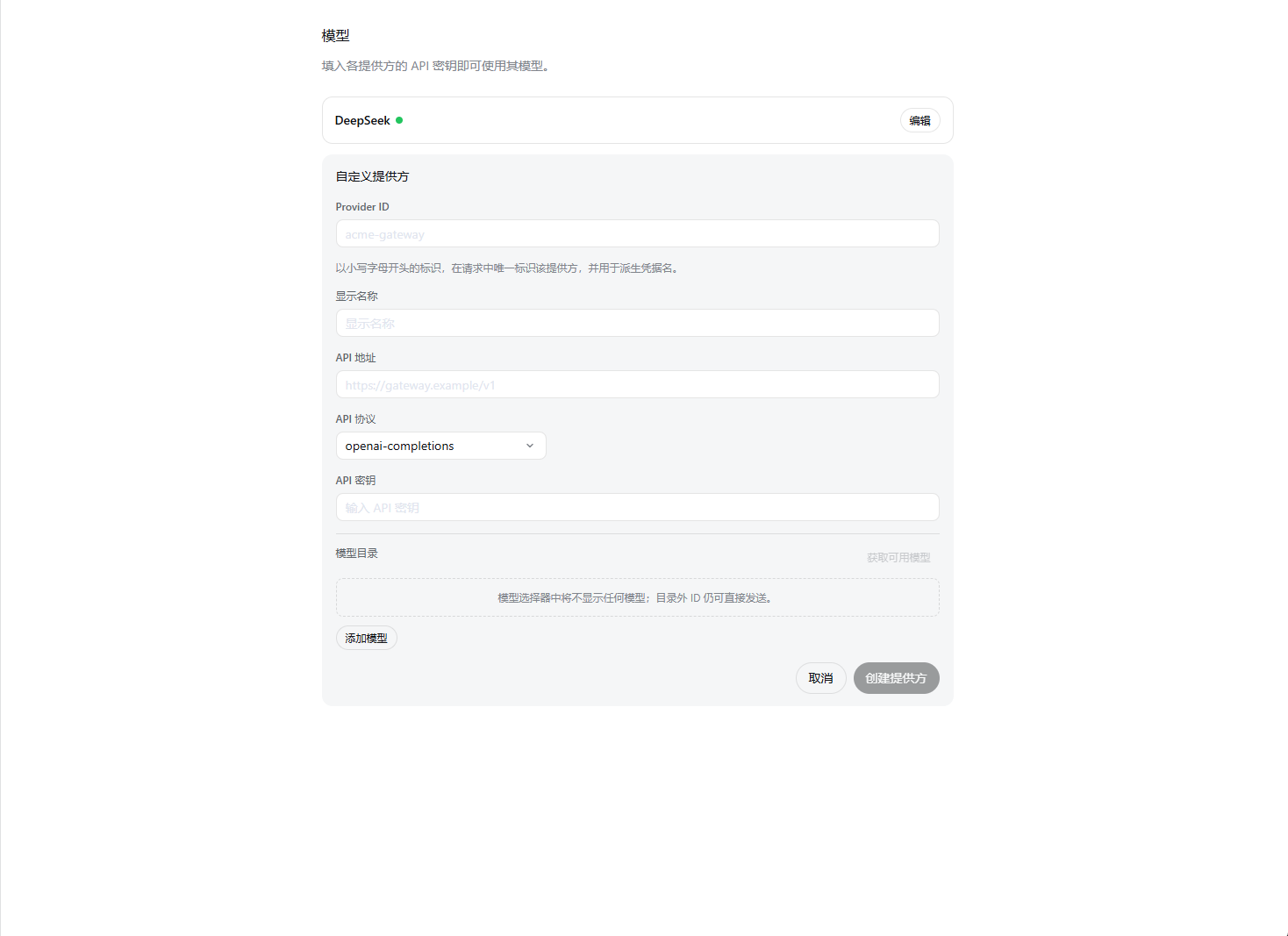
In the Harness sidebar, open **Settings → Models**. This page belongs to the embedded
Harness interface, not the desktop shell's **Configuration** dialog.
Find the DeepSeek provider card, enter a key from the
[DeepSeek Platform](https://platform.deepseek.com/), and save it.
Return to the session composer and choose an available model. The selection becomes
the default for new sessions.
Select a workspace and ask Harness to summarize the repository. Model changes apply
to the next request; the Harness service does not need to restart.
Never paste an API key into a chat message, repository file, screenshot, or issue.
Harness stores provider credentials separately and returns only a redacted descriptor
to the browser UI.
## Other providers
Choose **Add provider** for an installed provider such as Anthropic or OpenAI. Choose
**Add custom provider** for an OpenAI-compatible company gateway or self-hosted endpoint.
Custom providers require a stable lowercase provider ID, base URL, protocol, credential,
and at least one model.
Provider setup is a Harness feature and can evolve independently from the desktop
shell. For advanced routing, image input, and compatibility options, consult the
[upstream model guide](https://deepseek-harness.github.io/deepseek-harness/user/guide/providers).
Next, learn the [desktop and Harness interface](../guides/interface).
## Add DeepSeek
In the Harness sidebar, open **Settings → Models**. This page belongs to the embedded
Harness interface, not the desktop shell's **Configuration** dialog.
Find the DeepSeek provider card, enter a key from the
[DeepSeek Platform](https://platform.deepseek.com/), and save it.
Return to the session composer and choose an available model. The selection becomes
the default for new sessions.
Select a workspace and ask Harness to summarize the repository. Model changes apply
to the next request; the Harness service does not need to restart.
Never paste an API key into a chat message, repository file, screenshot, or issue.
Harness stores provider credentials separately and returns only a redacted descriptor
to the browser UI.
## Other providers
Choose **Add provider** for an installed provider such as Anthropic or OpenAI. Choose
**Add custom provider** for an OpenAI-compatible company gateway or self-hosted endpoint.
Custom providers require a stable lowercase provider ID, base URL, protocol, credential,
and at least one model.
Provider setup is a Harness feature and can evolve independently from the desktop
shell. For advanced routing, image input, and compatibility options, consult the
[upstream model guide](https://deepseek-harness.github.io/deepseek-harness/user/guide/providers).
Next, learn the [desktop and Harness interface](../guides/interface).