> ## Documentation Index
> Fetch the complete documentation index at: https://dshtauri.mintlify.site/llms.txt
> Use this file to discover all available pages before exploring further.
# DSH Tauri Scheduler
> Create scheduled tasks and review runs in independent Agent sessions.
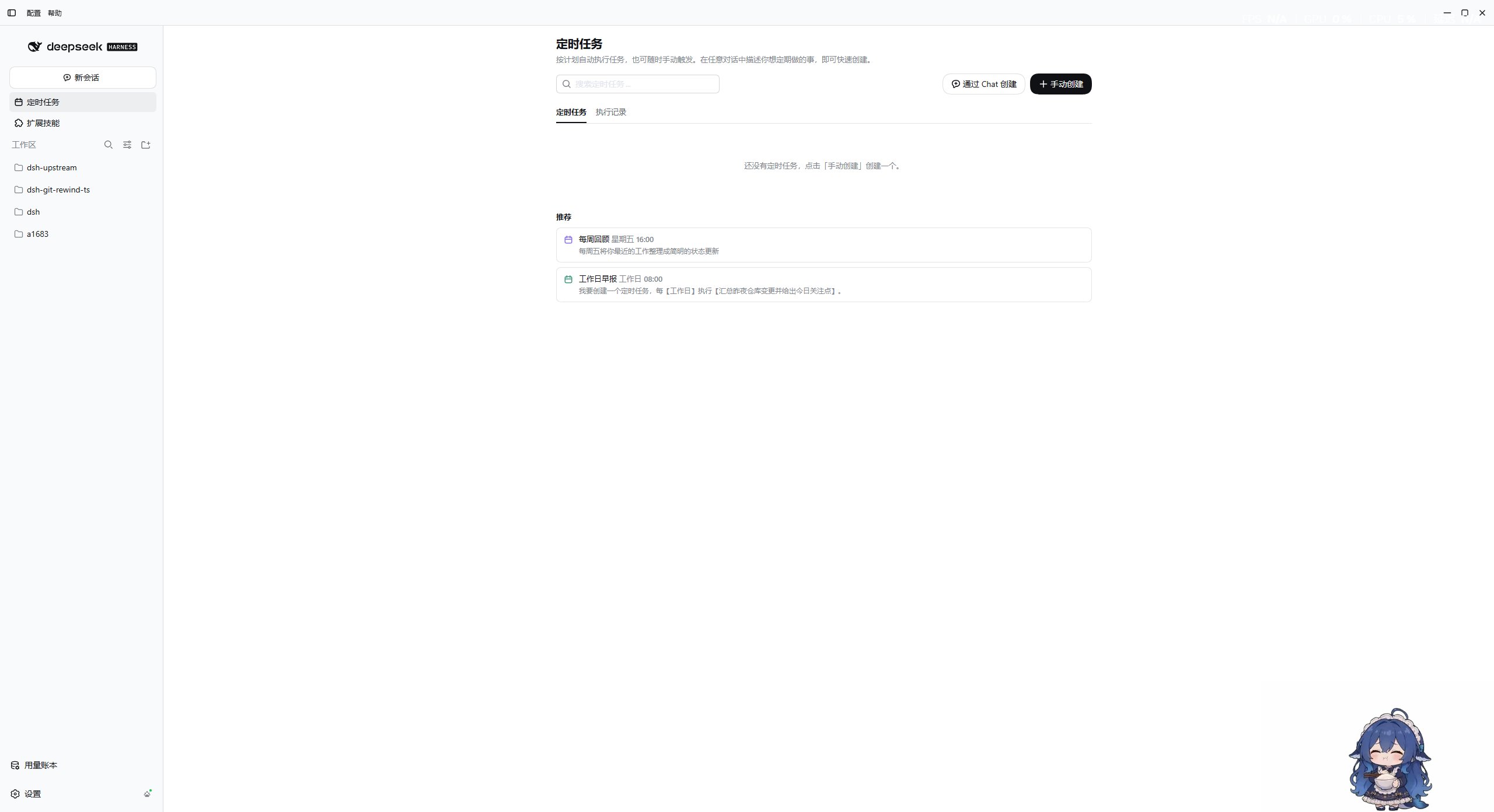
Open **Scheduled tasks** in the sidebar. `dsh-tauri-scheduler` creates an independent Agent session for each run.
 ## Create and manage
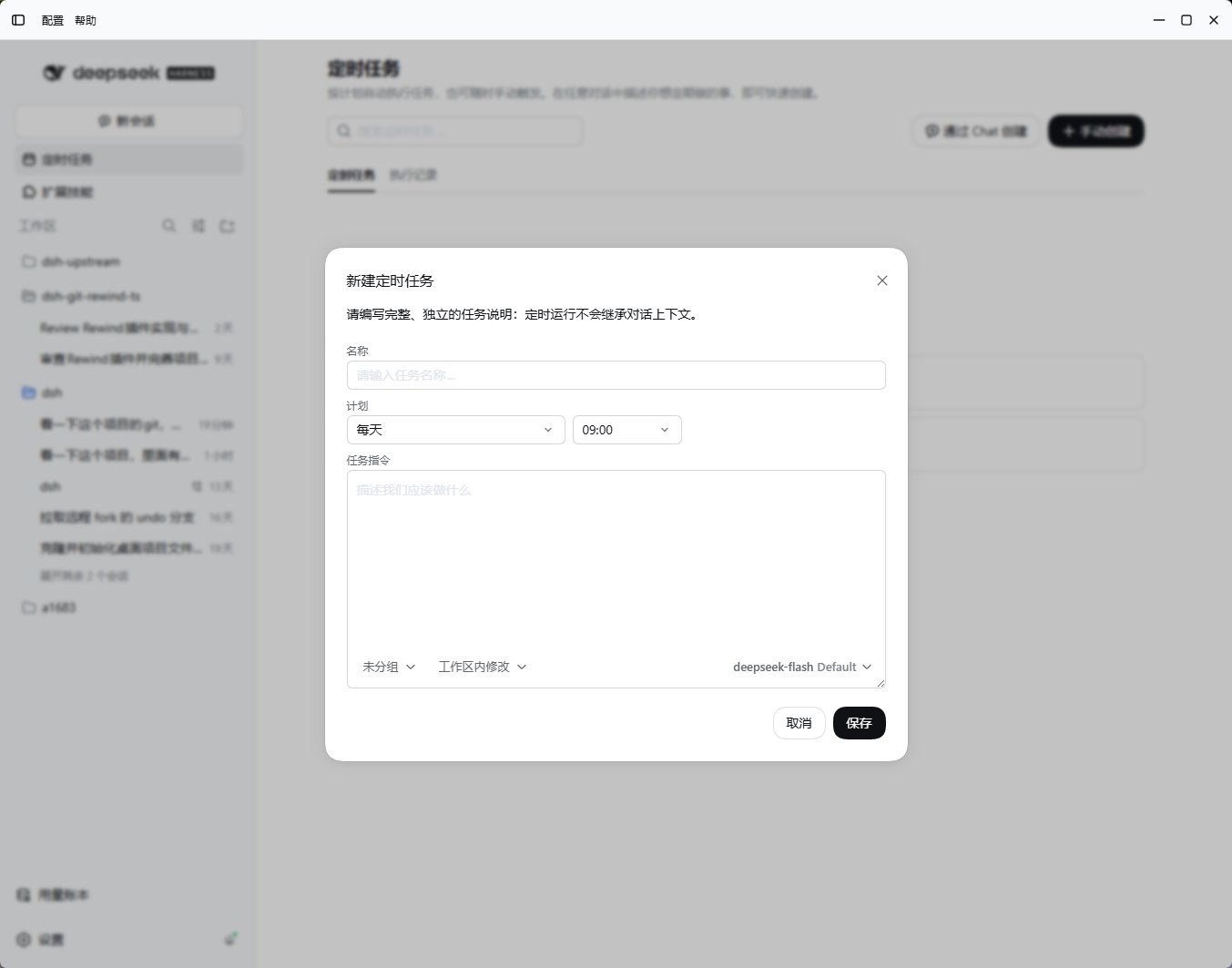
1. Set a name, instruction, schedule, and target workspace.
2. Review permissions; the default is `read-only`. Optionally pin a provider, model, and reasoning effort.
3. Save and check the next run time; pause, resume, run immediately, or delete as needed.
4. Review the **Run history** or open the associated session.
| Schedule | Main fields |
| - | - |
| One-time `once` | ISO timestamp `at` |
| Every hour `hourly` | `minute` |
| Daily `daily` | `time` in `HH:mm` format |
| Fixed interval `interval` | `everyMinutes`, optional `anchor` |
| Workdays `workdays` | `time`, Monday through Friday |
| Weekly `weekly` | `weekdays` and `time` |
| Monthly `monthly` | `day` and `time` |
| Custom `custom` | `everyDays` and `time`, optional `anchor` |
Chat tools: `scheduler_create`, `scheduler_list`, `scheduler_update`, and `scheduler_delete`. Use `scheduler_update` with `enabled` to pause or resume, or `run_now` to run immediately.
## Runtime boundaries
* Uses the computer's local time zone; the computer must be awake and the host running.
* Runs up to 4 tasks concurrently, with a 30-minute limit per run.
* Tasks and records live under `$DSH_HOME/crons/`; the latest 200 run records are retained.
* Host routes use `/api/desktop/dsh-tauri-scheduler`.
Tasks can execute Agent instructions and local tools. Review the workspace and permissions before saving. Tasks do not run during sleep or while the service is stopped.
[Source](https://github.com/dsh-tauri/deepseek-harness-desktop/tree/main/packages/dsh-tauri-scheduler)
## Create and manage
1. Set a name, instruction, schedule, and target workspace.
2. Review permissions; the default is `read-only`. Optionally pin a provider, model, and reasoning effort.
3. Save and check the next run time; pause, resume, run immediately, or delete as needed.
4. Review the **Run history** or open the associated session.
| Schedule | Main fields |
| - | - |
| One-time `once` | ISO timestamp `at` |
| Every hour `hourly` | `minute` |
| Daily `daily` | `time` in `HH:mm` format |
| Fixed interval `interval` | `everyMinutes`, optional `anchor` |
| Workdays `workdays` | `time`, Monday through Friday |
| Weekly `weekly` | `weekdays` and `time` |
| Monthly `monthly` | `day` and `time` |
| Custom `custom` | `everyDays` and `time`, optional `anchor` |
Chat tools: `scheduler_create`, `scheduler_list`, `scheduler_update`, and `scheduler_delete`. Use `scheduler_update` with `enabled` to pause or resume, or `run_now` to run immediately.
## Runtime boundaries
* Uses the computer's local time zone; the computer must be awake and the host running.
* Runs up to 4 tasks concurrently, with a 30-minute limit per run.
* Tasks and records live under `$DSH_HOME/crons/`; the latest 200 run records are retained.
* Host routes use `/api/desktop/dsh-tauri-scheduler`.
Tasks can execute Agent instructions and local tools. Review the workspace and permissions before saving. Tasks do not run during sleep or while the service is stopped.
[Source](https://github.com/dsh-tauri/deepseek-harness-desktop/tree/main/packages/dsh-tauri-scheduler)