> ## Documentation Index
> Fetch the complete documentation index at: https://dshtauri.mintlify.site/llms.txt
> Use this file to discover all available pages before exploring further.
# DSH Tauri Extension
> Manage Skills, skill sources, and MCP servers.
Open **Extensions** in the sidebar. `dsh-tauri-extension` provides Skills and MCP tabs.
 ## Skills
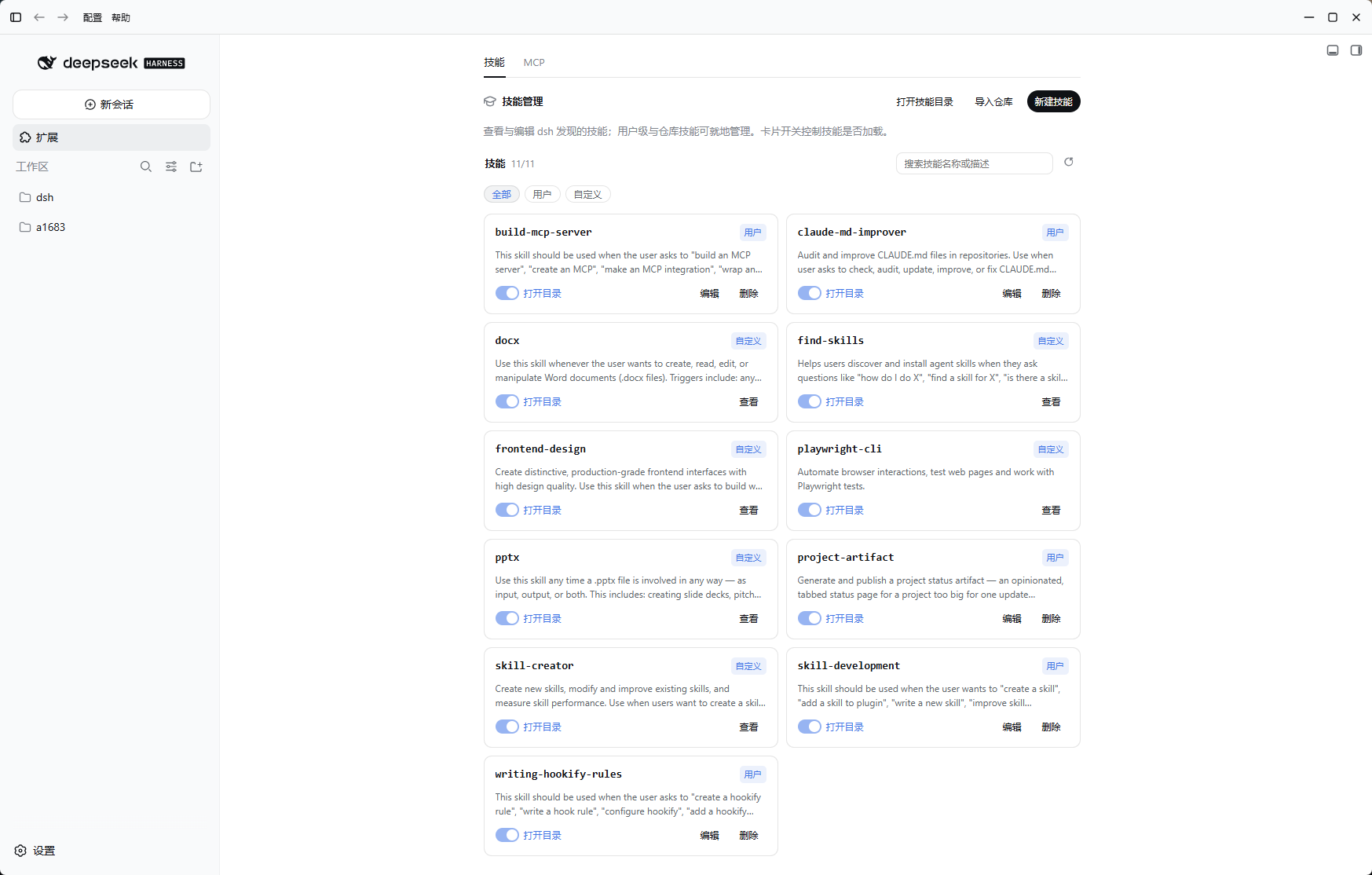
* Search, filter, enable, or disable skills; inspect content or open directories.
* Import GitHub skill repositories or add local skill directories.
* Edit skills from writable sources; check the target directory before deletion.
* **New skill** opens a blank session and prefills `/skill-creator ` without sending it.
## MCP
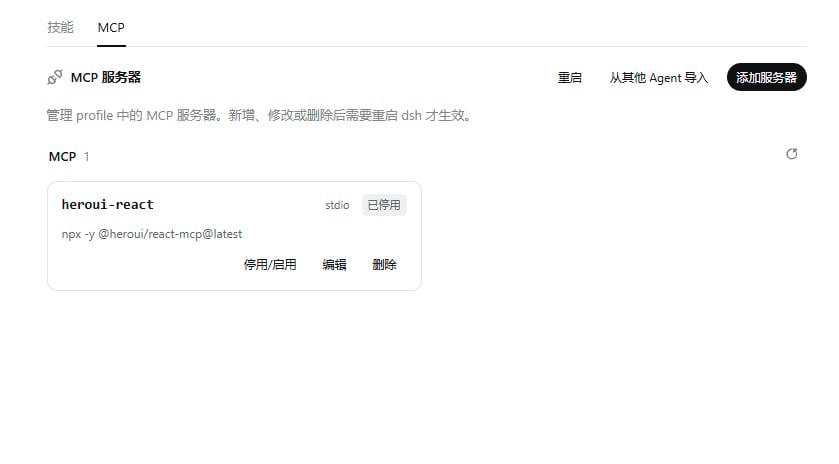
* Add, edit, enable, disable, or delete servers using a form or JSON.
* Import configuration from Claude Code or Codex and check connection status.
* Restart the host when a configuration change requires it.
## Data and boundaries
* Custom skills and source records live under `$DSH_HOME/skills/`; MCP configuration belongs to the current profile.
* Host routes use `/api/desktop/dsh-tauri-extension`.
* This plugin has no marketplace; see [plugin management](../guides/plugins) for community plugins.
* Skills and MCP can trigger local code execution. Verify sources and permissions before importing.
[Source and third-party notices](https://github.com/dsh-tauri/deepseek-harness-desktop/tree/main/packages/dsh-tauri-extension)
## Skills
* Search, filter, enable, or disable skills; inspect content or open directories.
* Import GitHub skill repositories or add local skill directories.
* Edit skills from writable sources; check the target directory before deletion.
* **New skill** opens a blank session and prefills `/skill-creator ` without sending it.
## MCP
* Add, edit, enable, disable, or delete servers using a form or JSON.
* Import configuration from Claude Code or Codex and check connection status.
* Restart the host when a configuration change requires it.
## Data and boundaries
* Custom skills and source records live under `$DSH_HOME/skills/`; MCP configuration belongs to the current profile.
* Host routes use `/api/desktop/dsh-tauri-extension`.
* This plugin has no marketplace; see [plugin management](../guides/plugins) for community plugins.
* Skills and MCP can trigger local code execution. Verify sources and permissions before importing.
[Source and third-party notices](https://github.com/dsh-tauri/deepseek-harness-desktop/tree/main/packages/dsh-tauri-extension)